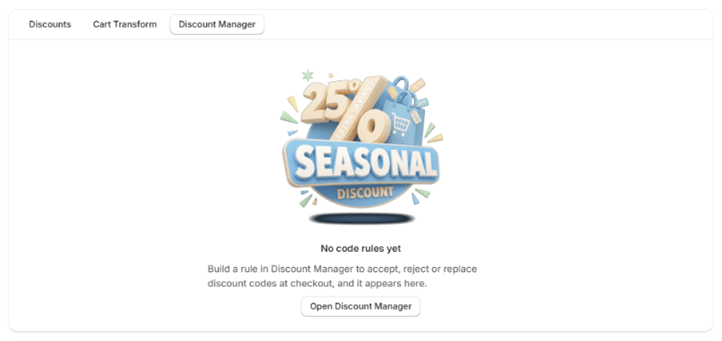
Managers and rules
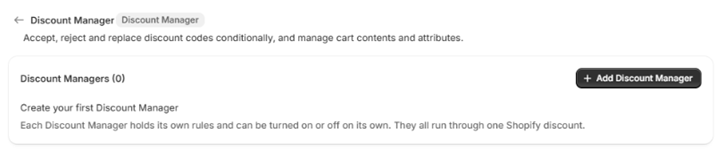
Rules are grouped into Discount Managers. Each Manager holds its own rules and can be turned on or off on its own; they all run through one Shopify discount.- Add Discount Manager creates a Manager. Give it a Discount Manager name; it is never shown to customers.
- Discount Manager status turns that Manager’s rules on or off. Each rule keeps its own status, so turning the Manager back on restores exactly what you had.
- Function status turns every Discount Manager on or off at once.
Rule types
There are eight rule types. Four run at checkout and four run in the storefront cart.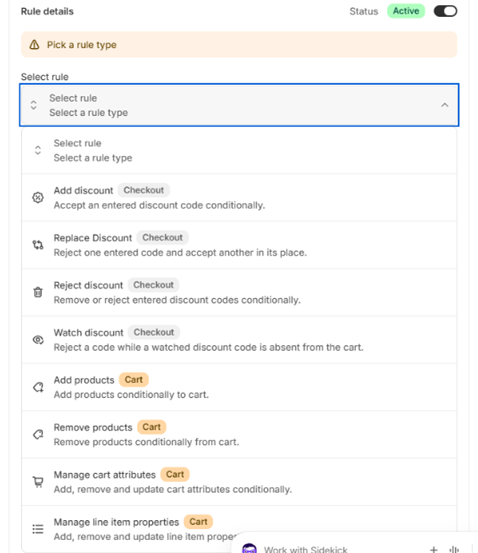
Checkout rules (discount codes)
A rule can only choose among codes the shopper has already entered. Add discount cannot add a code to a cart that has none, and the replacement code in Replace Discount must also be in the cart.
Cart rules
Cart rules run in the storefront cart through the CB Cart Rules app embed. To use them, turn on the embed in your theme and tick Enable cart rules in its settings. See Theme blocks.
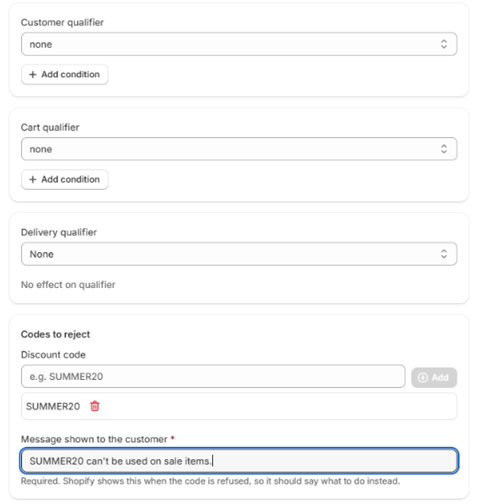
Rule settings
The Delivery qualifier is saved but not applied at checkout: delivery selection isn’t available to this kind of function. Leave it set to Any delivery method.
What happens at checkout
The What happens at checkout panel lists your rules in the order they run, highest priority first, so you can check the result before saving.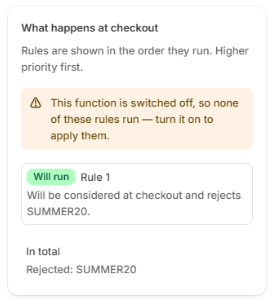
If the configuration grows too large for Shopify to run, a banner says so. Turn off a Manager or pause some rules to get back under the limit.