Automatic or code
- Automatic discount applies without any shopper action whenever the conditions are met.
- Discount code requires the shopper to enter a code at checkout.
Code options
When you choose Discount code: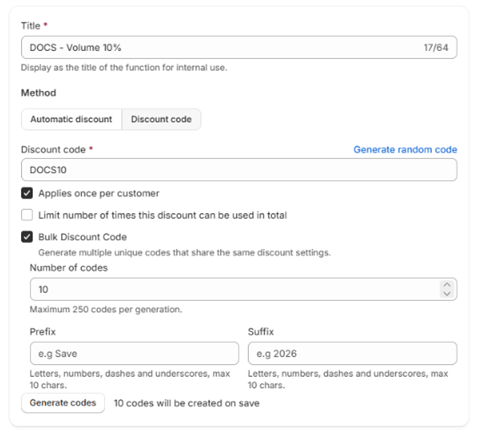
Subscriptions
Tick Applies on subscription to apply the discount to subscription orders, and set a Recurring cycle limit to cap how many renewals it applies to.Dates and status
Set a start date and an optional end date. Dates use your shop’s time zone. The campaign’s status follows from them: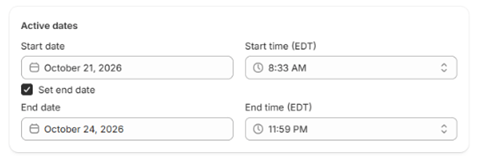
Saving
Click Save. If a field is wrong, the error appears inline on that field. Fix it and save again. Saving also republishes the campaign to your storefront, so any theme blocks pick up the change.If your plan’s campaign limit is reached, creating a new campaign is refused on save. Existing campaigns can still be edited. See Campaign limits.